Separate the Pixel Value From the Appearance
Give two spots on a screen the same RGB value, and they will not necessarily look equally bright if their surroundings differ. In Simultaneous Contrast, the central squares are the same colour and only the backgrounds change. If the square on the dark background looks brighter, something other than the target’s own value is shaping the impression.
Moving Away From the Surround, or Toward It
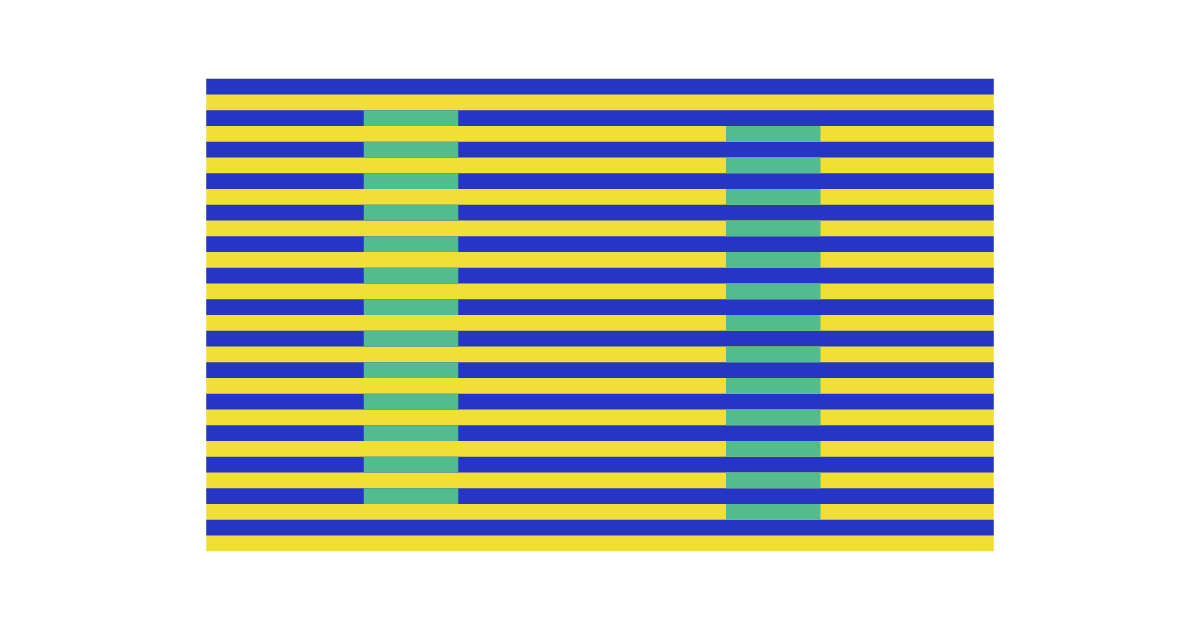
Contrast makes the difference from the surround feel stronger. Within a fine pattern, though, the target can instead move toward the colour around it, which is called “assimilation”. In Munker Colors, the same green is placed within blue and yellow stripes, and you compare which stripes it seems to group with.
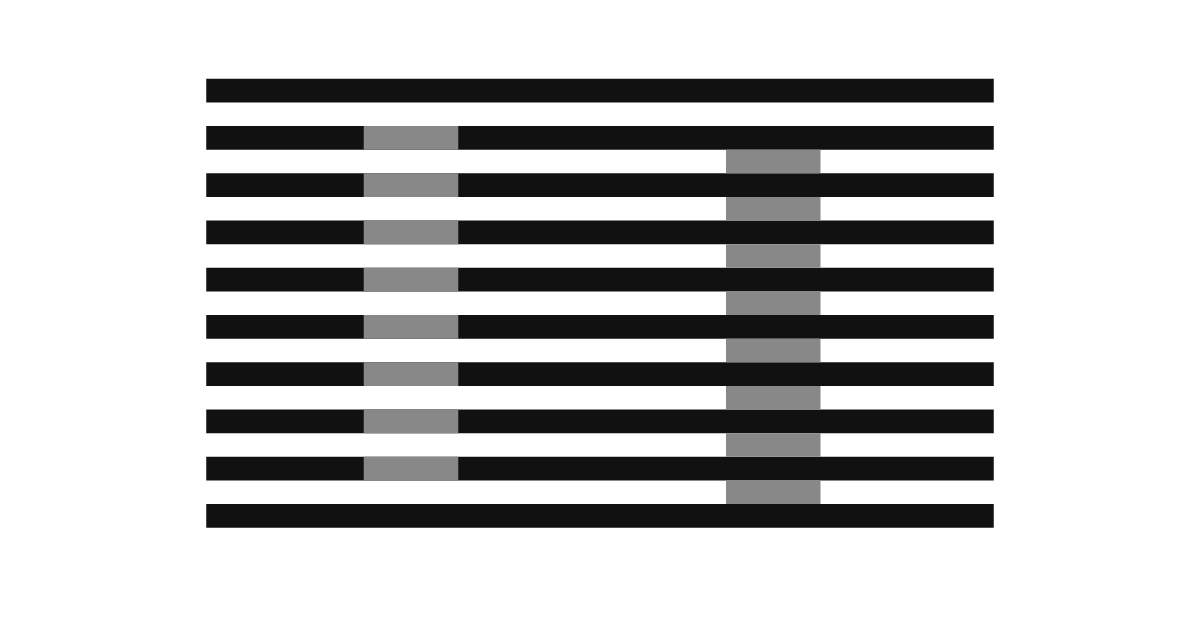
White’s Illusion is also hard to explain with a simple “a dark background makes things look brighter” rule. Where the grey patches connect to the stripes matters too. Be careful not to treat everything you see as fully explained by lateral inhibition in the retina.
Brightness Inside a Shadow
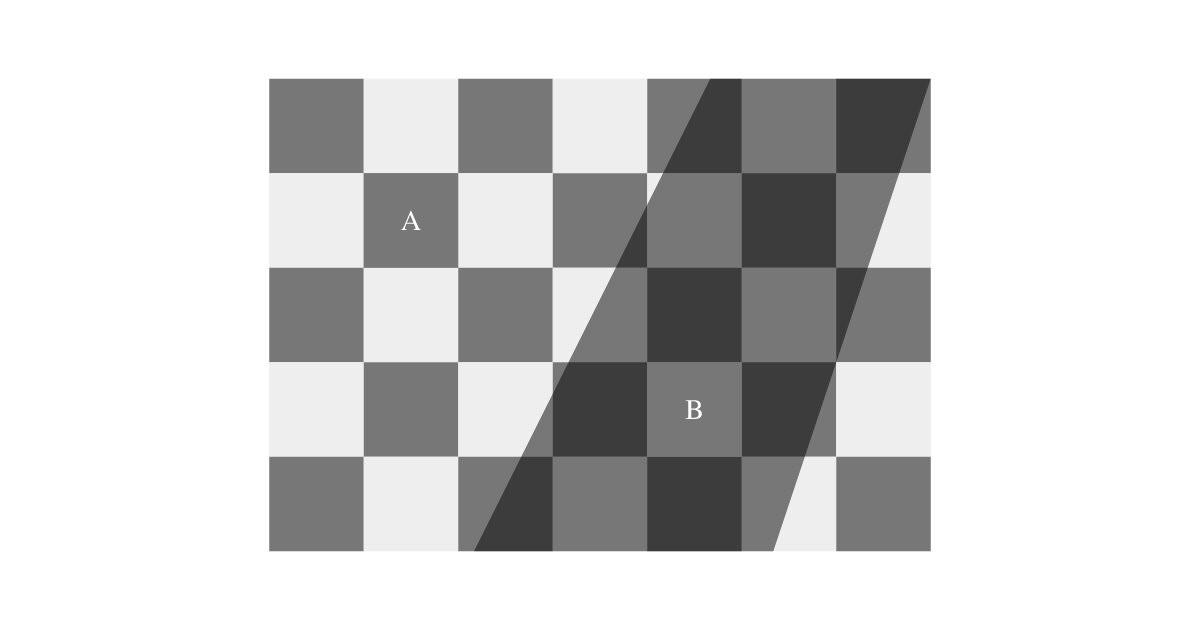
In Checker Shadow, a dark square outside the shadow and a light square inside the shadow are the same grey. The visual system tries to separate an object’s colour from the lighting, so images with identical brightness can still look different. In the answer view, a band of the same colour connects the two.
Keep the Comparison Conditions Fixed
If you open screenshots in different apps, display correction and brightness may change too. First remove the background within the same screen and compare there. What you are checking here is that the image data are equal and the effect of context, not the colour accuracy of your display.
References: Michael Bach on White’s effect, Brightness and shadow.